> ## Documentation Index
> Fetch the complete documentation index at: https://studio.assembly.com/docs/llms.txt
> Use this file to discover all available pages before exploring further.
# Store
> Set up a digital storefront where clients can purchase your service packages.
The Store feature allows service businesses to establish a digital storefront where clients may purchase service packages. According to the documentation, this functionality "brings the benefits of eCommerce to your service business by allowing you to showcase your offerings, set upfront pricing, and make it easy for clients to understand exactly what they're getting."
The storefront can operate in two modes: as a private offering within existing client portals or as a publicly accessible website. Upon purchase completion, clients automatically transition into the standard client experience without requiring additional setup steps.
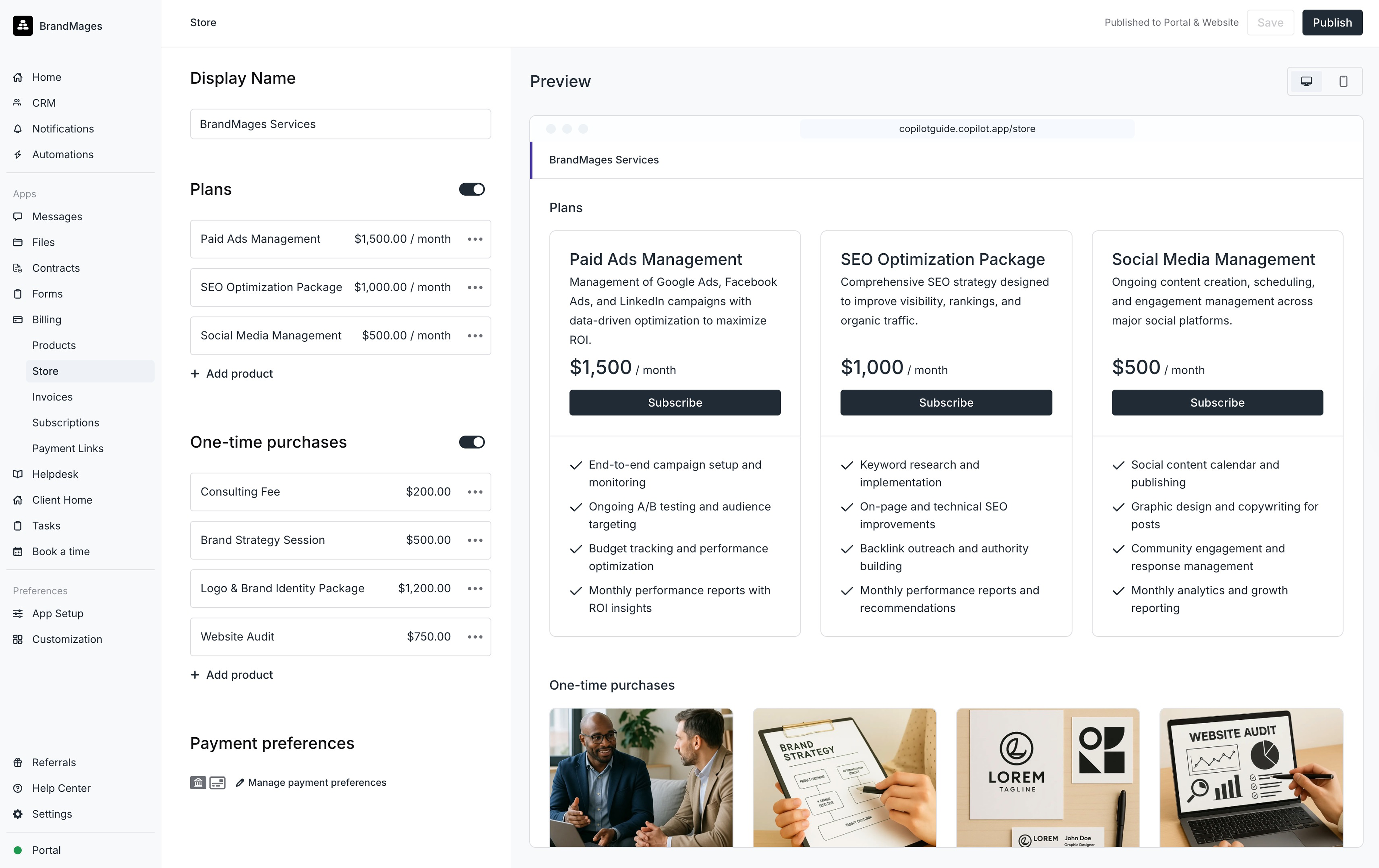 ## Creating your Store
Service creation must precede store configuration. Services can be structured as one-time purchases, recurring subscriptions, or both. The setup process involves:
1. Navigating to the **Payments** app and selecting the **Store** tab
2. Entering a store name
3. Adding recurring services under **Plans** (maximum of four services permitted)
4. Adding one-time services under **One-time purchases**
5. Configuring payment preferences for credit card and ACH options
6. Choosing whether customers or the business absorbs processing fees
7. Saving changes
## Publishing your Store
Distribution options include enabling portal visibility for authenticated clients and generating a public shareable link. The documentation notes that "In a future update, you'll be able to generate an embed code to add your store to your marketing site."
## Editing your Store
Services may be modified, deleted, or reordered through ellipsis menu options adjacent to each item.
## Creating your Store
Service creation must precede store configuration. Services can be structured as one-time purchases, recurring subscriptions, or both. The setup process involves:
1. Navigating to the **Payments** app and selecting the **Store** tab
2. Entering a store name
3. Adding recurring services under **Plans** (maximum of four services permitted)
4. Adding one-time services under **One-time purchases**
5. Configuring payment preferences for credit card and ACH options
6. Choosing whether customers or the business absorbs processing fees
7. Saving changes
## Publishing your Store
Distribution options include enabling portal visibility for authenticated clients and generating a public shareable link. The documentation notes that "In a future update, you'll be able to generate an embed code to add your store to your marketing site."
## Editing your Store
Services may be modified, deleted, or reordered through ellipsis menu options adjacent to each item.