> ## Documentation Index
> Fetch the complete documentation index at: https://studio.assembly.com/docs/llms.txt
> Use this file to discover all available pages before exploring further.
# Services
> Create, view, and update services and their prices for invoices and subscriptions.
 ## Using the Services page
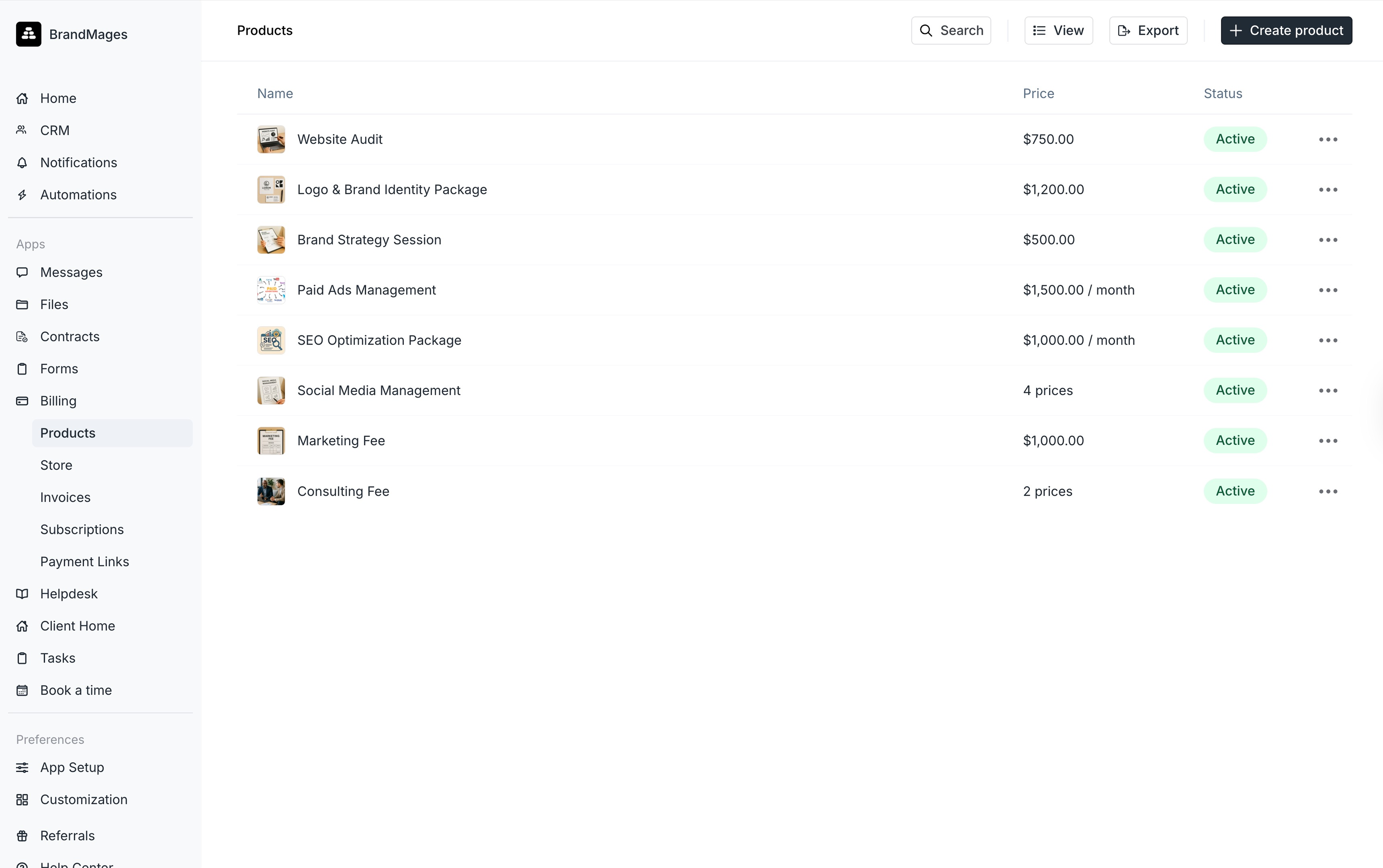
On the **Payments > Services** page, you can view all your services along with their prices and status, and you can also create new services. You can add multiple predefined prices for a service, which can be added to an invoice. To create a new service, click **+ New service** in the top-right corner of the **Services** page.
## Creating a new service
1. Navigate to **Payments > Services** on the navbar and click **+ Create Services.**
2. Enter the name of the service.
3. Optionally add a description.
4. Optionally add an image.
5. Select whether you'd like the service to be a **One-time** charge or **Recurring**.
1. If you choose a recurring price, you can then select the **Billing Period** for this service from the dropdown. Options include **Daily**, **Weekly**, **Monthly**, **Quarterly**, **Biannually,** or **Yearly.** You can also associate additional prices with the service later on.
6. Add the price of the service and then click **Create service.**
7. After creating the service, you will be taken to that service's page. Here, you can add additional prices for that service by clicking on **+ Add a price.**
## Updating a Service
1. Navigate to **Payments > Services** and select the service you would like to update.
2. To change the name or photo of the service, click **Edit.**
3. To add another price for the service, click **+ Add a price.**
To learn how to add a service to an invoice or subscription, check out our Invoicing Article and our Subscriptions Article.
## Using the Services page
On the **Payments > Services** page, you can view all your services along with their prices and status, and you can also create new services. You can add multiple predefined prices for a service, which can be added to an invoice. To create a new service, click **+ New service** in the top-right corner of the **Services** page.
## Creating a new service
1. Navigate to **Payments > Services** on the navbar and click **+ Create Services.**
2. Enter the name of the service.
3. Optionally add a description.
4. Optionally add an image.
5. Select whether you'd like the service to be a **One-time** charge or **Recurring**.
1. If you choose a recurring price, you can then select the **Billing Period** for this service from the dropdown. Options include **Daily**, **Weekly**, **Monthly**, **Quarterly**, **Biannually,** or **Yearly.** You can also associate additional prices with the service later on.
6. Add the price of the service and then click **Create service.**
7. After creating the service, you will be taken to that service's page. Here, you can add additional prices for that service by clicking on **+ Add a price.**
## Updating a Service
1. Navigate to **Payments > Services** and select the service you would like to update.
2. To change the name or photo of the service, click **Edit.**
3. To add another price for the service, click **+ Add a price.**
To learn how to add a service to an invoice or subscription, check out our Invoicing Article and our Subscriptions Article.